
Performance advisor
Names the bottleneck, the queries behind it and their share of the load, and gives you fix scripts to review and run yourself.
Free beta for Windows · version 1.1
dbriq watches SQL Server, Azure SQL, PostgreSQL and MySQL from your own PC, and tells you in plain words what is wrong and what to do about it.
14
cloud and on-premises platforms
100
servers in one installation
2s
between samples of every active session
0
bytes of your data sent to us
What dbriq does
It reads waits, execution plans and history across every server you add, then says what is wrong, which queries are responsible, and how to fix it.
Names the bottleneck, the queries behind it and their share of the load, and gives you fix scripts to review and run yourself.
Every active session is sampled every 2 seconds and classified by wait, so you see which queries spent the time and on what.
Laid out like SSMS and explained in sentences.
Live blocking chains, history, and deadlock patterns.
Backups, integrity, availability, space, security and support dates.
Baselines per weekday and hour, and maintenance windows.
Click any moment on a chart to see what was running and who was blocking whom.
Inventory, health, compliance and index reports, as printable HTML or Excel workbooks.
Take the tour
Real screens from dbriq running its built-in demo: seven servers and 96 databases with problems built in. The installed app opens with the same demo.
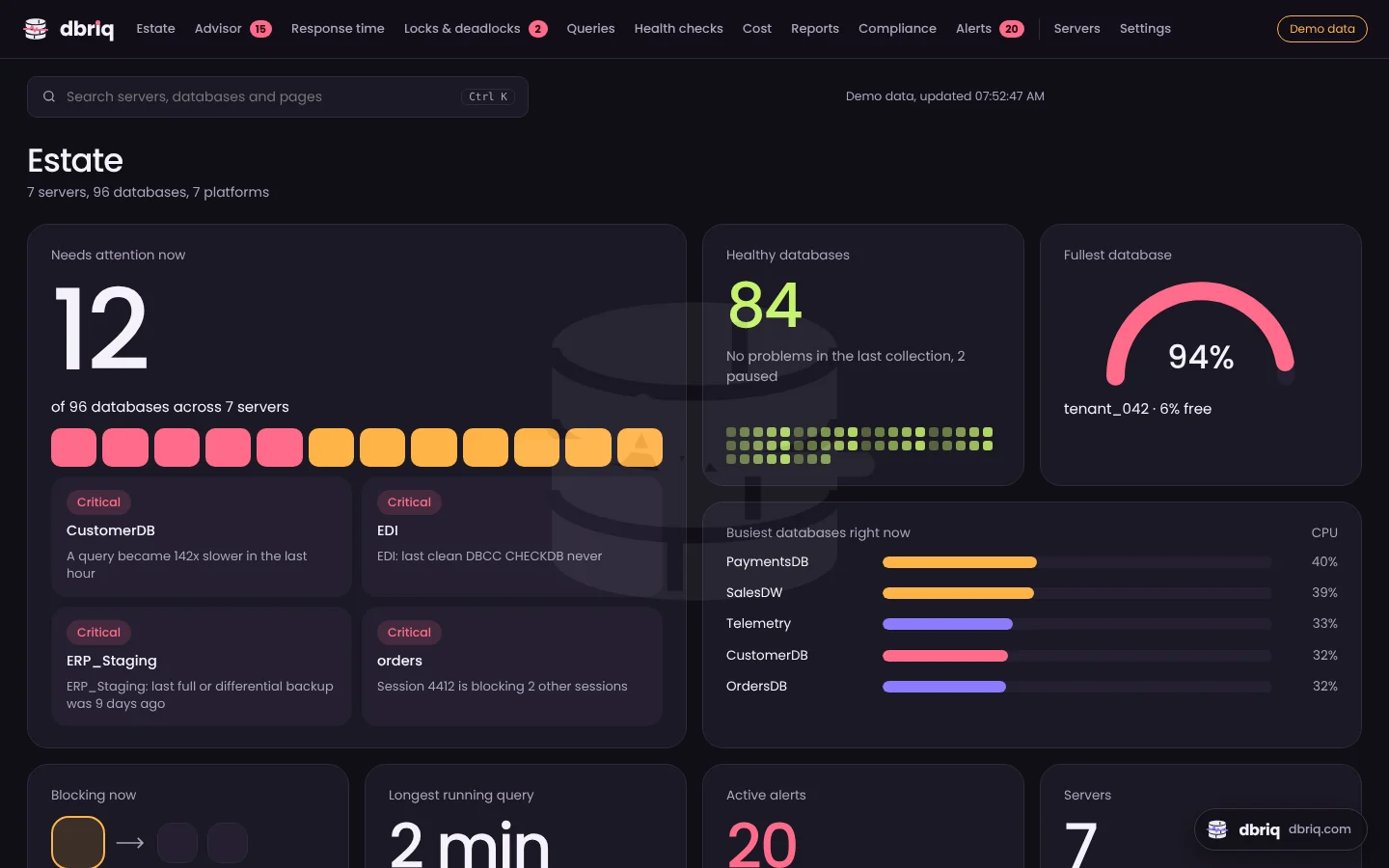
Your estate at a glance: what needs attention, the fullest and busiest databases, blocking and alerts. Every database is listed below it.
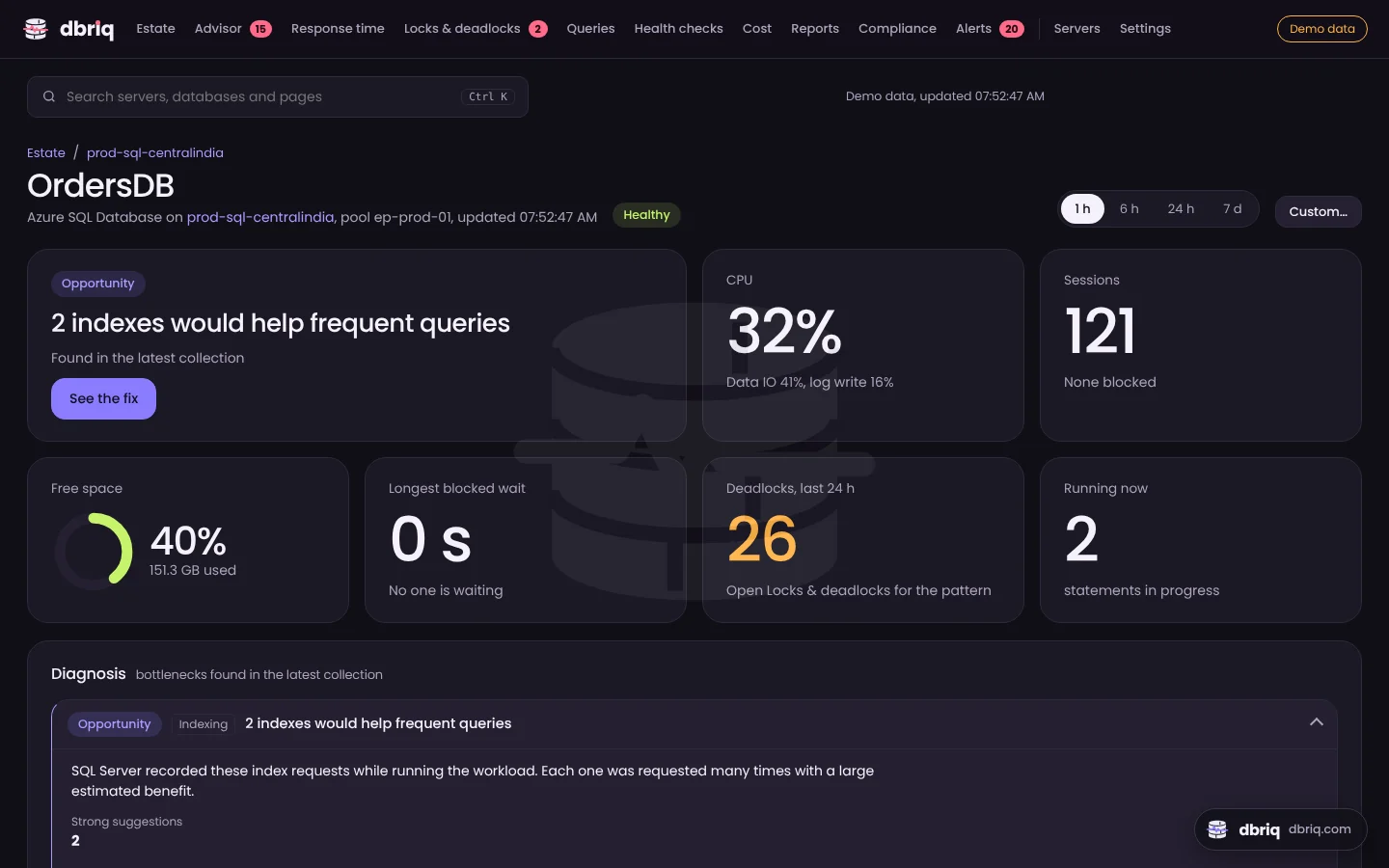
Each database opens with a summary: the main problem with See the fix, CPU, sessions, free space, blocking and deadlocks. The diagnosis and fix scripts follow.
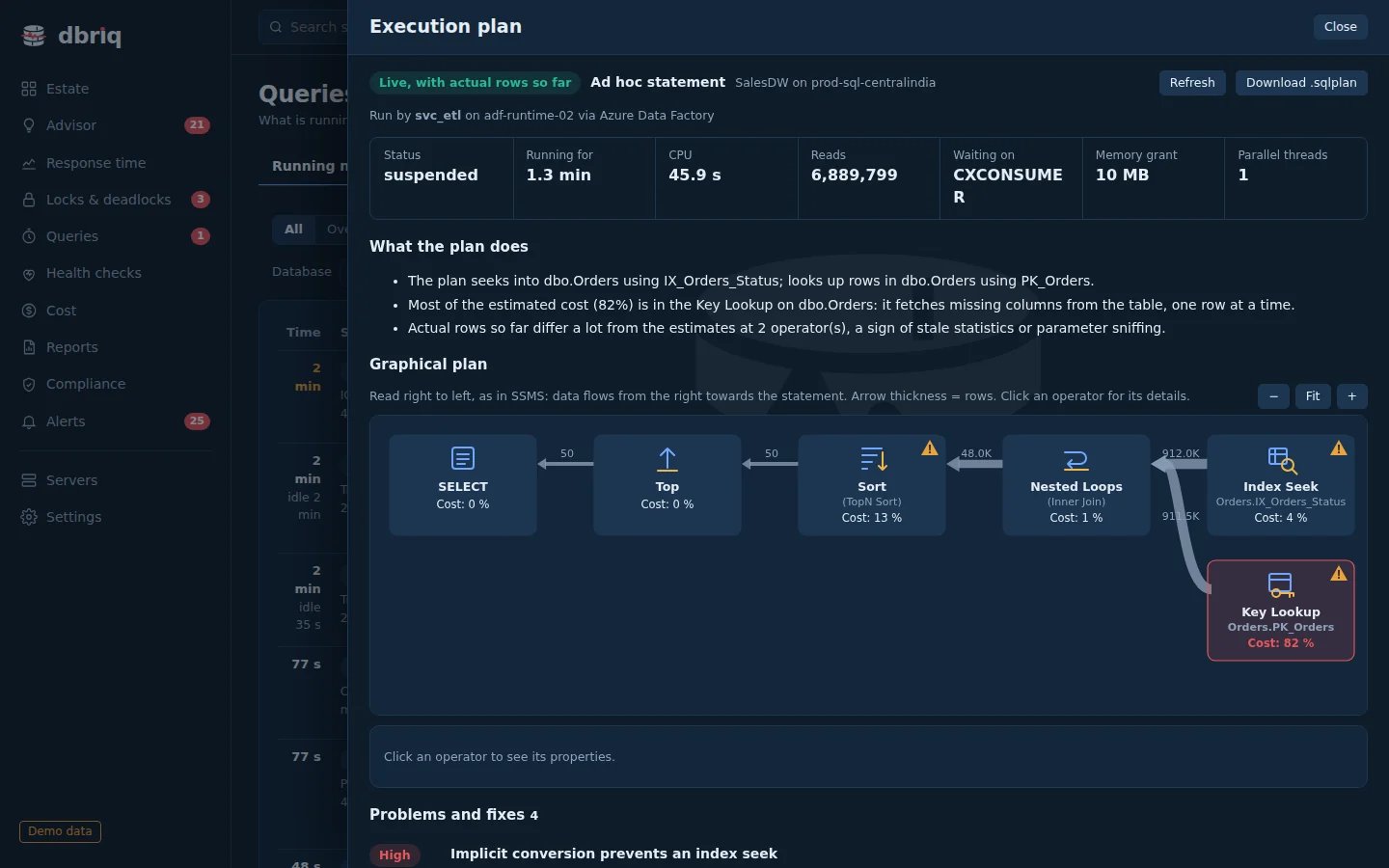
The plan of a running query with actual rows so far, what it does in plain sentences, and the operator where the cost is.
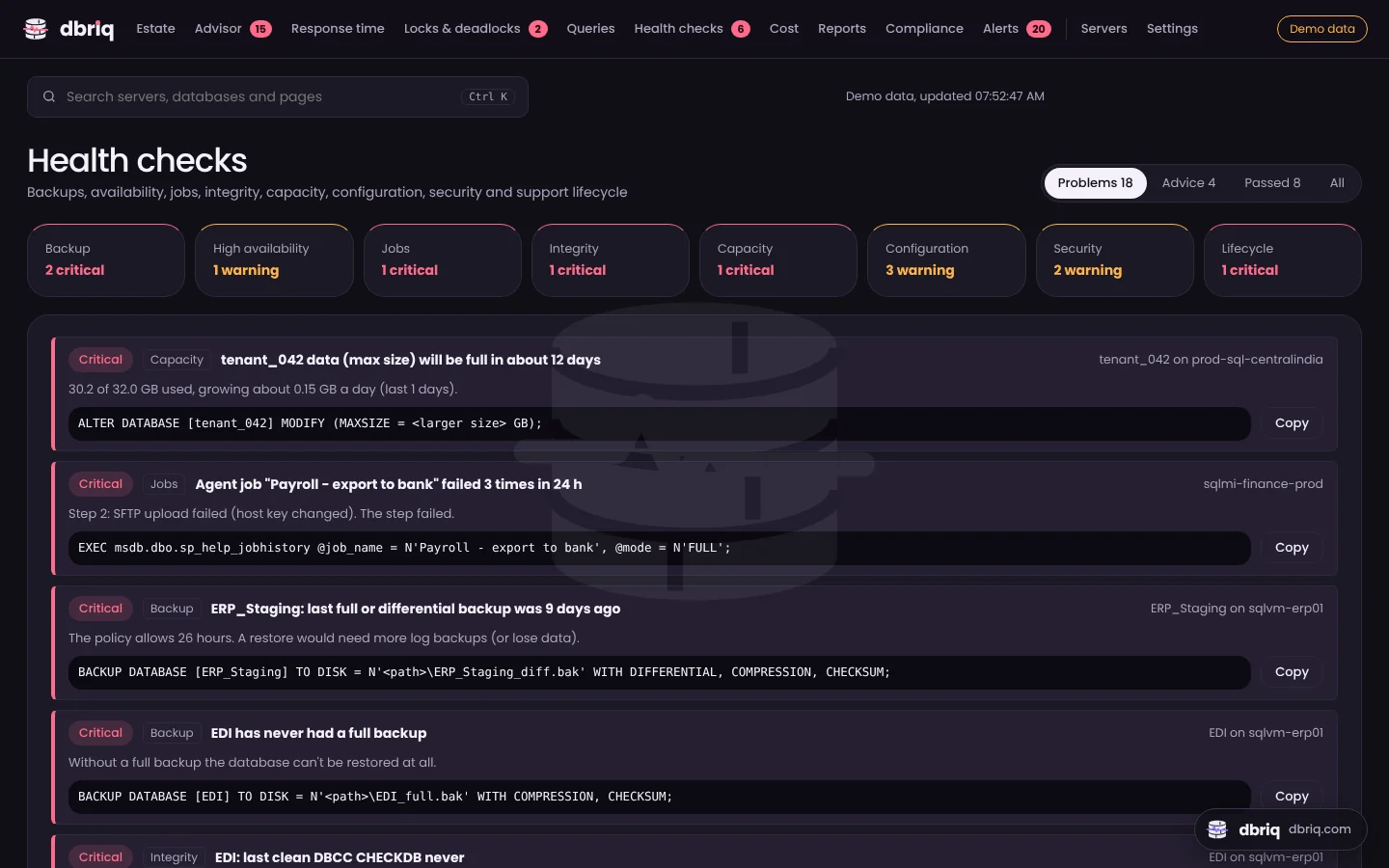
Backups, integrity, availability, jobs, space, configuration, security and support dates, each with the fix.
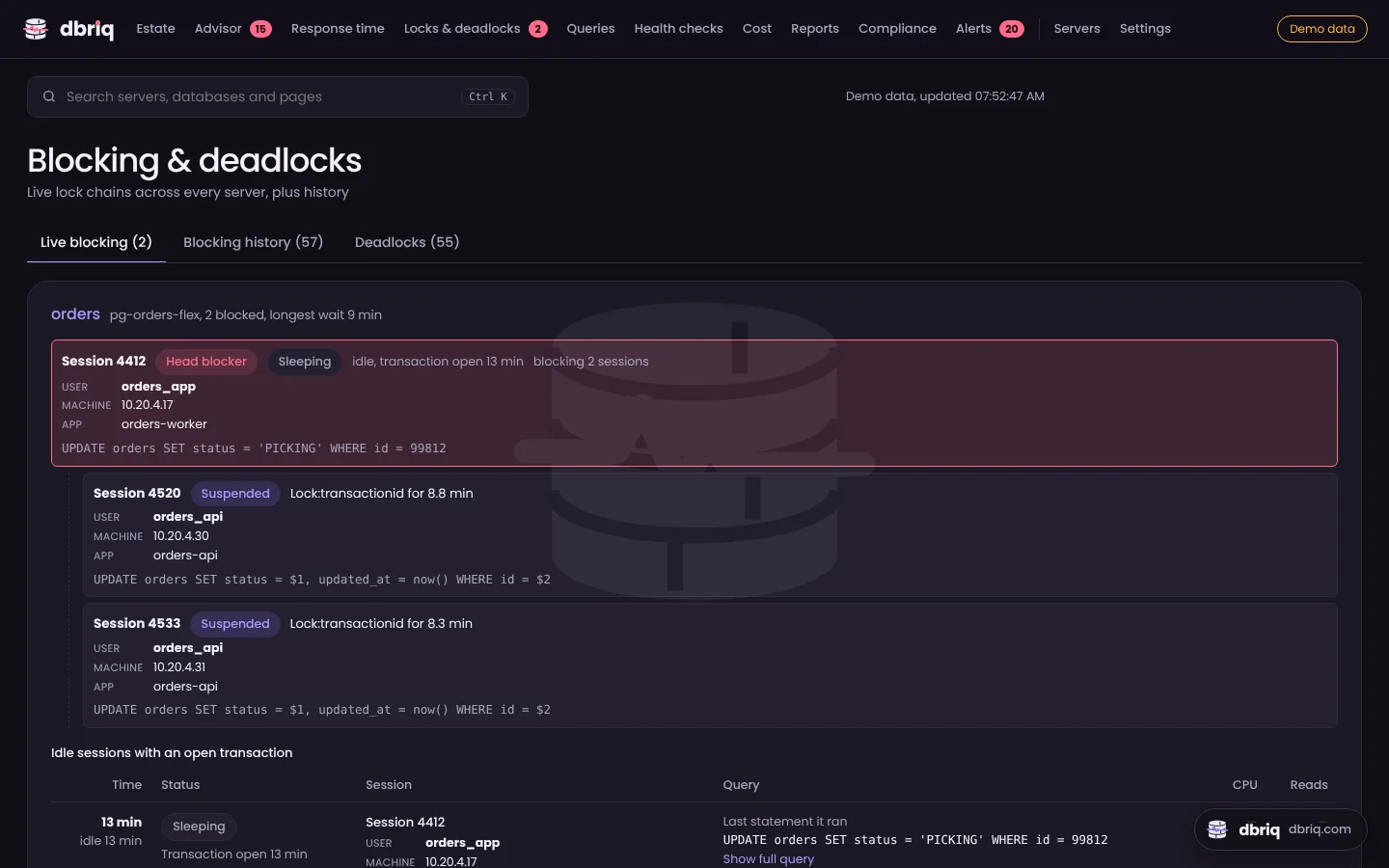
Live blocking chains with the head blocker's user, machine and statement, plus blocking history and deadlock patterns.
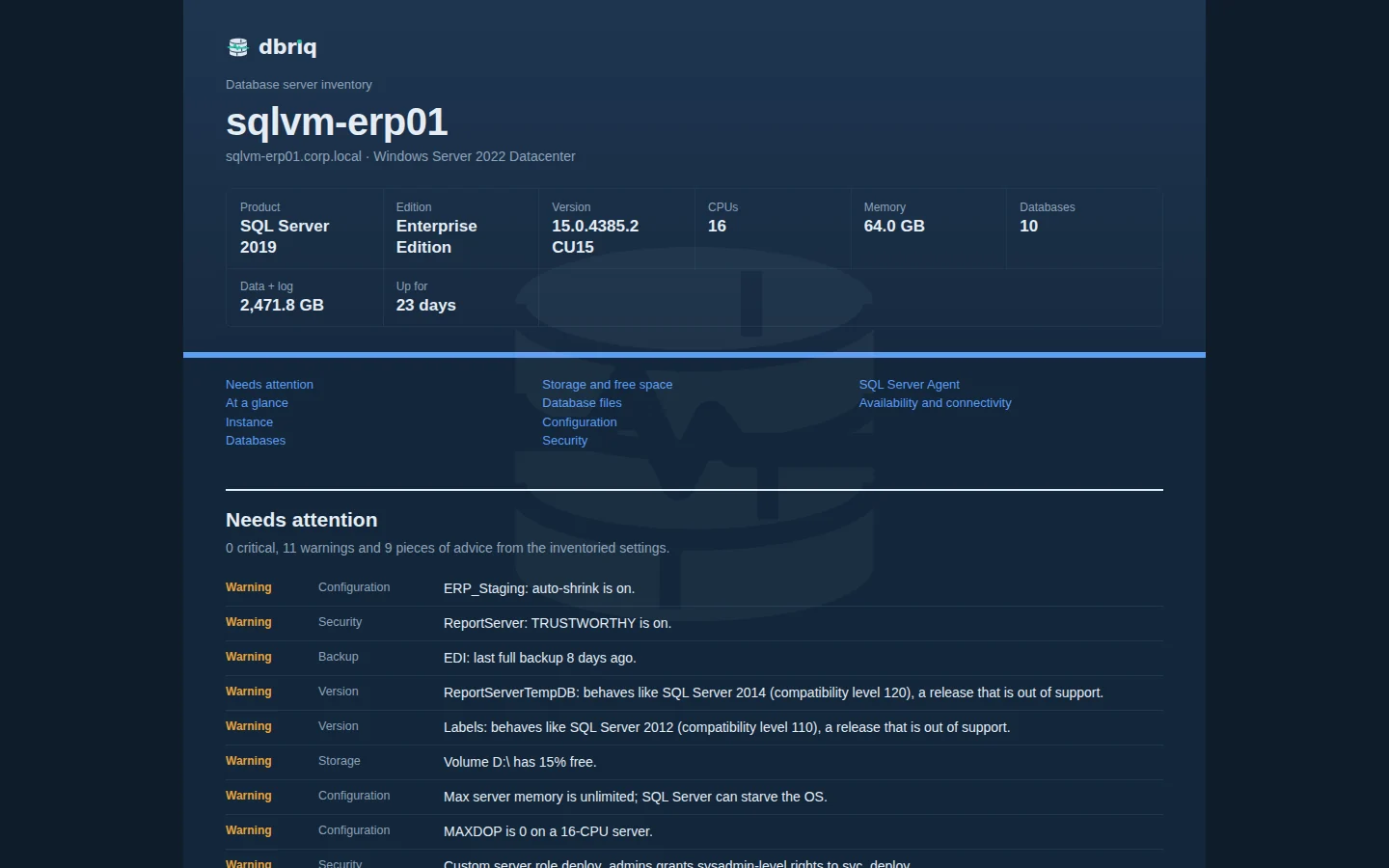
A complete record of a server, ready to print to PDF or download as an Excel workbook.
How it works
No administrator rights. It opens with demo data so you can look around first.
Run the setup script on each server to create a login that can only read.
Findings appear within minutes, each with the cause and a script to review.
Platforms
On-premises, in VMs and in the three big clouds. Up to 100 servers in one installation.
2016 SP2 and later on-premises or in VMs, Azure SQL Managed Instance, Amazon RDS, Google Cloud SQL
DMVs, Query Store, msdb historySingle databases and elastic pools
Per-database CPU, IO and log useSelf-hosted, Azure, Amazon RDS and Aurora, Cloud SQL
pg_stat_activity, pg_stat_statementsMySQL 5.7 and 8.x, MariaDB, Azure, Amazon RDS and Aurora, Cloud SQL
performance_schema digests and waitsSecurity
dbriq sees query text and server details, so it is built to keep them where they are.
A Windows app, or a team server on your own machine. The app sends nothing to us.
A monitoring login with only the permissions it needs. Fix scripts are yours to run.
In Windows Credential Manager or an encrypted vault, never in a config file.
Optional, with your own key. Every literal value in a query is masked first.
FAQ
Yes. Create an account and download it; there is nothing to pay during the beta.
Start with a non-production server, as you would with any new monitoring tool. Monitoring queries are read-only with a 30-second timeout, and reports run on short connections with a 5-second lock timeout and low deadlock priority. Once you are comfortable with what it does, add production.
No. It reads system views and never runs the fix scripts it suggests. The only thing it creates is a temporary one-minute capture session if you run the client timeouts report without the optional always-on session, and it drops that session afterwards.
Windows 10 or 11, 64‑bit. For SQL Server you also need Microsoft ODBC Driver 18 for SQL Server; SSMS and Azure Data Studio usually install it already, and the installer offers the download if it is missing. PostgreSQL and MySQL drivers are built in.
Yes. dbriq can run as a team server behind HTTPS with sign-in, roles (viewer, operator, admin), access limited to particular servers or databases, and single sign-on through your reverse proxy. Email support@dbriq.com for help setting it up.
The desktop app is Windows only. The team server also runs on Linux in Docker, and the dashboard works in any modern browser.
Email support@dbriq.com with what you saw and the dbriq version from the installer. Please send security issues to security@dbriq.com.
Free during the beta. Windows 10 and 11, 64‑bit. Set up in minutes.